Toolbox
The Toolbox is your Swiss Army knife for managing funds across wallet groups. It has three modes: Distribute, Collect, and Drain. All modes work on any EVM chain.
Distribute
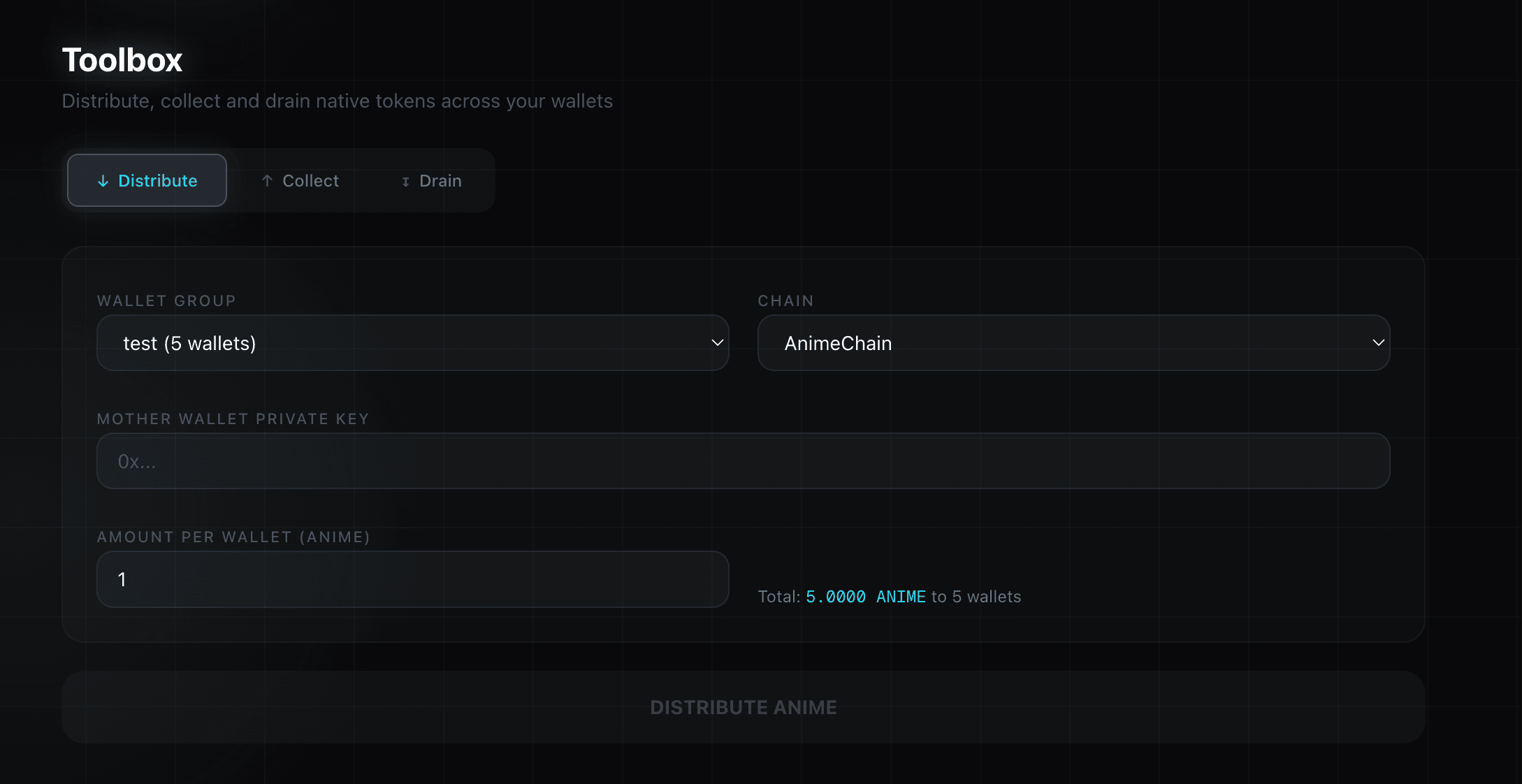
Send native tokens from a single mother walletto all wallets in a group. This is how you fund wallets before a mint.
How to Use
- Select your wallet group and chain
- Paste the mother wallet private key (the wallet holding the funds)
- Set the amount per wallet — the label adapts to the chain's native token (ETH, ANIME, etc.)
- Review the total cost, then click DISTRIBUTE
Tips
- Calculate the total needed:
amount_per_wallet x number_of_wallets+ a bit extra for gas - On L2s (Base, ApeChain, AnimeChain, Abstract, MegaETH, Robinhood Chain), gas is very cheap — 0.001 ETH per wallet is usually enough for a mint + drain
- The mother wallet private key is never stored — only used in-memory for the operation
Collect
Sweep all remaining native tokens from every wallet in a group back to a single destination address. Each wallet sends its full balance minus gas cost.
How to Use
- Select your wallet group and chain
- Enter the destination address (your main wallet)
- Click COLLECT
Wallets are processed in parallel (up to 50 concurrent) for speed. Gas is optimized to recover the maximum amount (only 5% buffer above base fee).
Drain
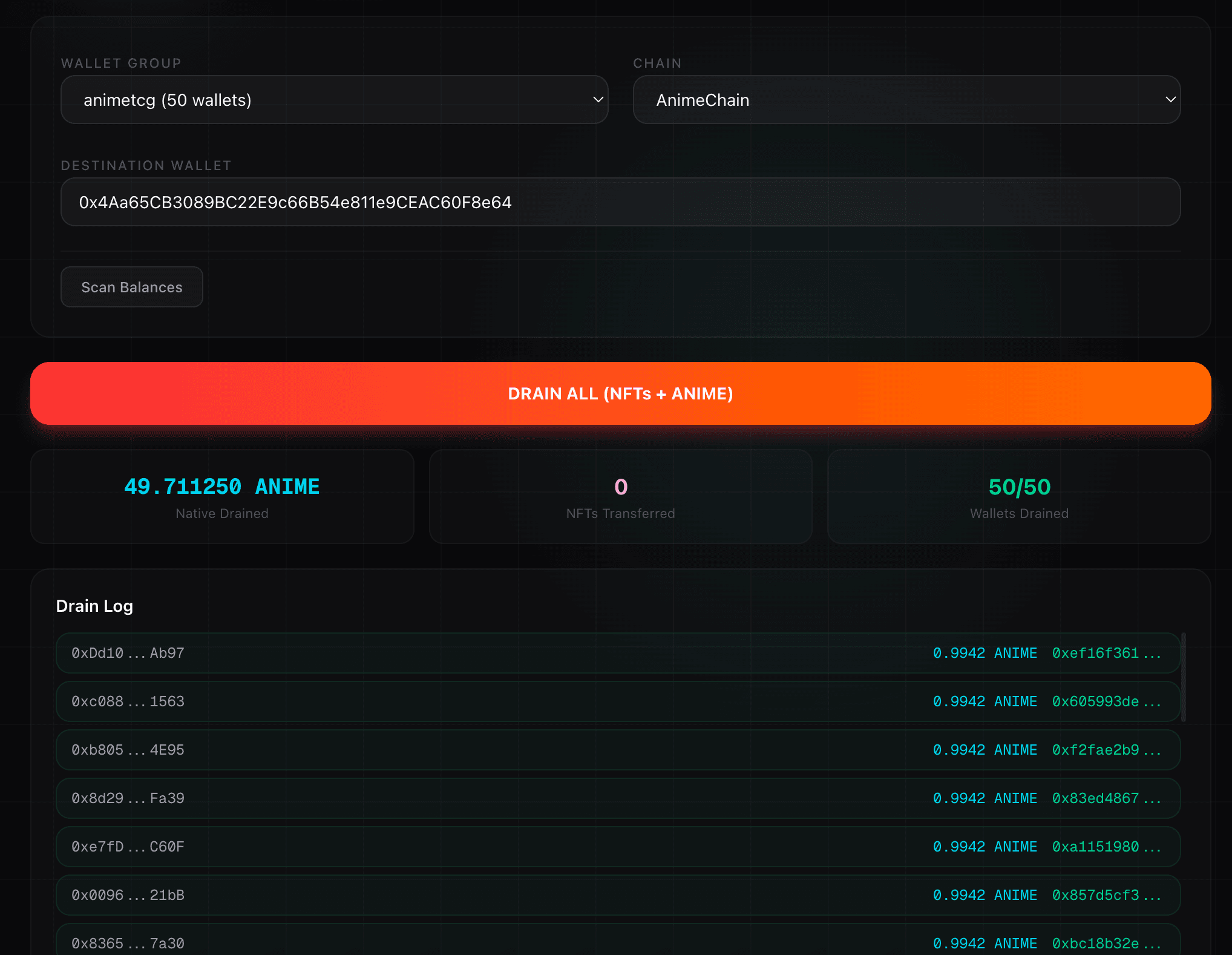
The most powerful Toolbox mode. Drain transfers everything — both NFTs and native tokens — from all wallets in a group to a single destination.
How It Works
For each wallet, the Drain mode:
- Detects NFTs on the selected chain (via OpenSea or Blockscout for AnimeChain)
- Transfers each NFT to the destination — supports ERC-721 (
safeTransferFromwithtransferFromfallback) and ERC-1155 (withbalanceOfcheck) - Sweeps remaining native tokens to the destination with minimal gas buffer
How to Use
- Select your wallet group and chain
- Enter the destination wallet address
- Click Scan Balances to preview the total native balance across all wallets
- Click DRAIN ALL (NFTs + ...)
Drain Summary
After draining, you see three metrics:
- Native Drained — Total native tokens recovered
- NFTs Transferred — Number of NFTs moved to your wallet
- Wallets Drained — How many wallets were successfully processed
Gas Optimization
All Toolbox operations use minimal gas buffers (105% of base fee) to maximize the amount of tokens you recover. NFT transfer gas limit is set to 70K (optimized for standard ERC-721/1155 transfers). Gas settings are fetched once and shared across all transactions.