Mint Engine
The Mint Engine is the core of NFTPulse. It lets you execute mints across multiple wallets simultaneously with gas optimization, auto-detection, and pre-simulation. Compatible with any EVM chain and any ERC-721 or ERC-1155 contract.
Setting Up a Mint
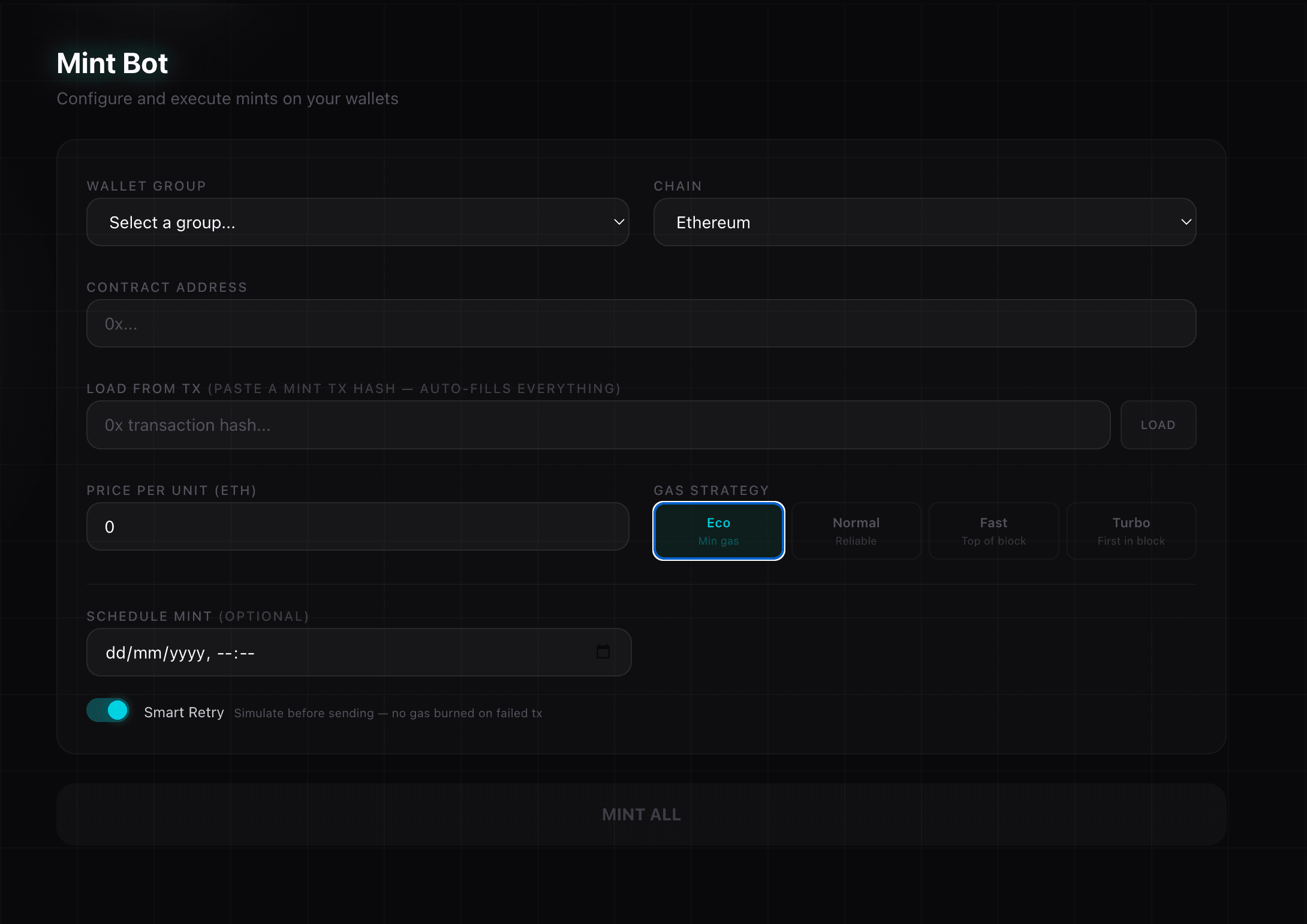
1. Select Group & Chain
Choose the wallet group to mint with and the chainthe NFT contract is deployed on. All EVM chains are supported.
2. Enter Contract Address
Paste the NFT contract address. NFTPulse will automatically:
- Fetch the contract ABI from the block explorer
- Detect all payable mint functions
- Parse function parameters (price, quantity, proof, etc.)
3. Configure Parameters
- Function — Select the mint function from the dropdown (auto-detected)
- Price per unit — The mint price in the chain's native token
- Quantity — Number of NFTs to mint per wallet (if the function supports it)
- Arguments — Additional parameters auto-filled from the ABI
4. Gas Strategy
Choose a gas strategy based on how competitive the mint is:
Advanced Features
Smart Retry
When enabled, NFTPulse simulates each transaction before sending it. If the simulation fails (e.g. mint not started yet, sold out check), it retries every 2 seconds until the simulation passes, then sends the real transaction. No gas is burned on failed simulations.
This is perfect for scheduled mints — set it up before the mint starts, and the bot will automatically execute the second the contract allows it.
Scheduled Mint
Set a specific date and time to execute the mint. Combined with Smart Retry, this is the most reliable way to hit a mint the moment it opens.
Whitelist Check
Before minting, you can check which of your wallets are whitelisted. NFTPulse auto-detects common WL check functions on the contract and shows eligible/ineligible status per wallet.
Executing the Mint
Click MINT ALL to start. The Mint Engine will:
- Pre-fetch gas data and estimate gas limit once (shared across all wallets)
- Fetch nonces for all wallets in batches
- Send all transactions with optimized gas settings
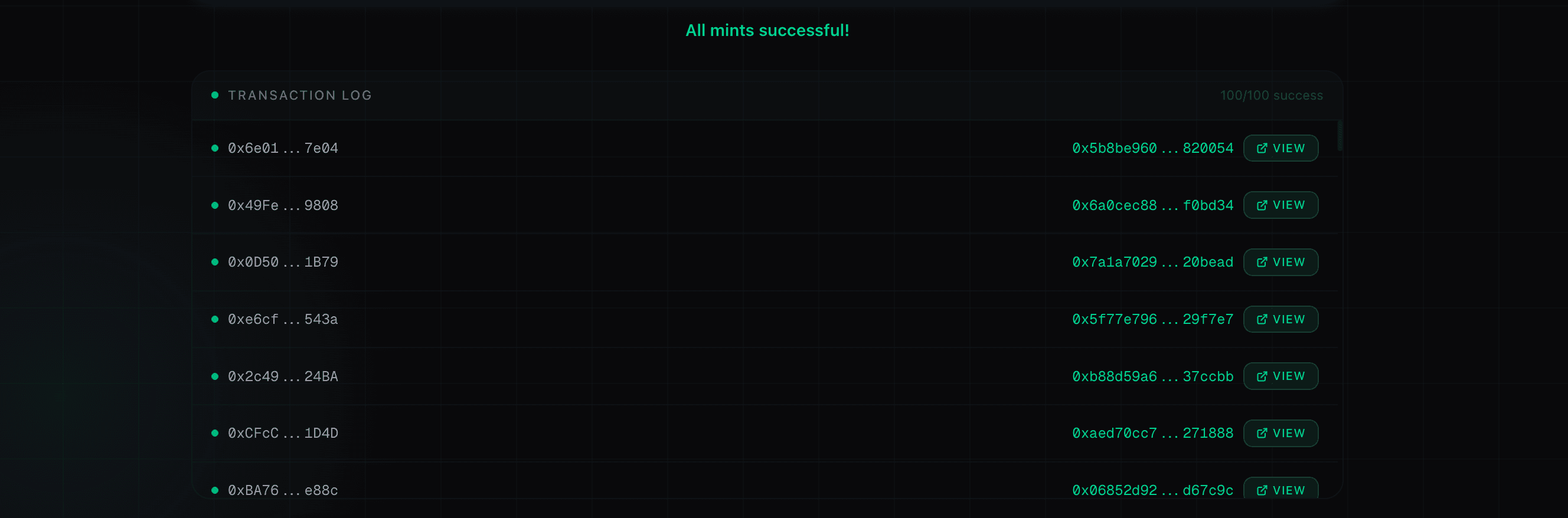
- Display results in the Transaction Log with links to the block explorer
SeaDrop Support
NFTPulse has built-in support for SeaDrop contracts (used by OpenSea drops). When a SeaDrop contract is detected, it automatically fetches Merkle proofs for whitelisted wallets and fills in the correct mint parameters.